


MyChart Patient Portal
MyChart is a free, secure patient portal that helps manage aspects of your healthcare independently. MyChart makes scheduling your care as easy and convenient as possible. Schedule an appointment via one of the links below.
How Does MyChart Help Me as a Patient?
MyChart makes it easy to view your health information, manage appointments, request prescription refills, see test results, and message your care team from your phone or computer.
How Do I Sign Up for MyChart?
Am I automatically enrolled in MyChart? No, NSCH patients are not automatically enrolled in MyChart. To access your account, you will need to create your own MyChart login through the NSCH MyChart Login Page. As an NSCH patient, you can log in or sign up for MyChart by clicking here. After selecting the link, you will be directed to the following screen:
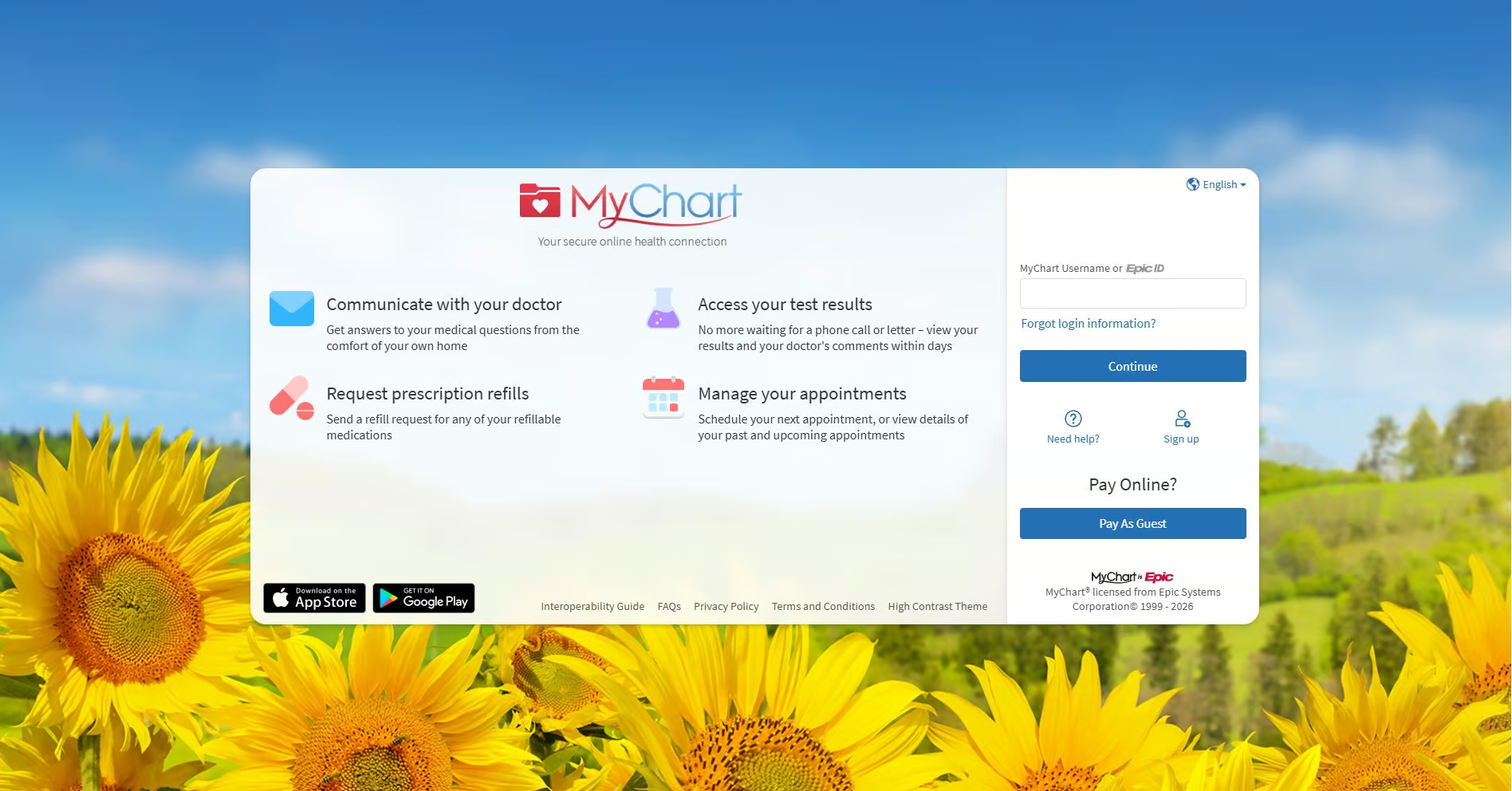
MyChart is also accessible on your mobile device by downloading the app through the App Store or Google Play. See the section below for instructions.
Login to My ChartDownload MyChart App on Mobile
iPhone App Store
- Open the App Store
- Tap the Search bar
- Type: MyChart
- Look for MyChart by Epic Systems Corporation
- Tap Get → Install
- Enter your Apple ID / Face ID if asked
Android Google Play
- Open the Google Play Store
- Tap Search
- Type: MyChart
- Select MyChart by Epic Systems Corporation
- Tap Install
After downloading: connect to North Shore
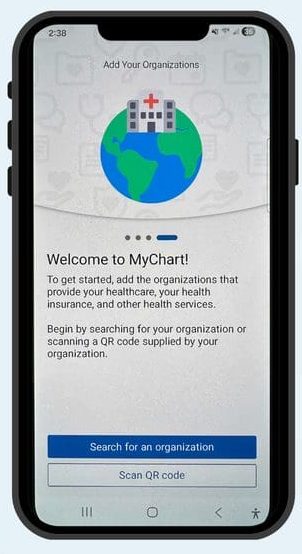
Step 1
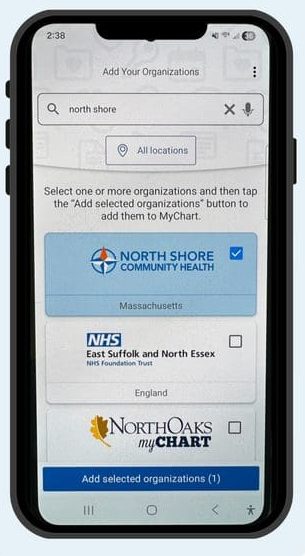
Step 2
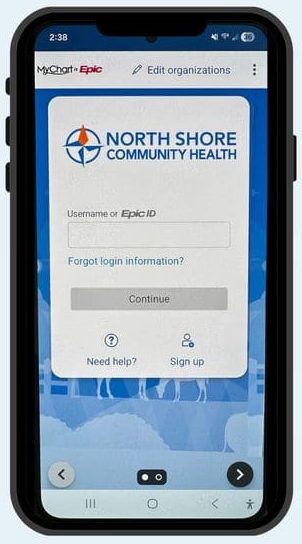
Step 3

MyChart for Desktop

New MyChart Experience for Mobile Devices
Key Steps for Scheduling an Appointment Online
New Patient:
- Click the link below. On the screen that appears, click “Family Medicine”.
- Choose appointment type: Select the type of appointment you are looking for (in-person, or remotely via telehealth/video visit). Click on your choice.
- If you selected a new patient appointment, you will be asked to choose a location on the next screen. If you selected telehealth, you will skip to #4.
- Choose a provider: Select the doctor you want to see from the list of available providers.
- Select a date and time: View the provider’s schedule and pick a suitable date and time slot.
- Confirm and schedule: Review the appointment details and click “Schedule” to finalize your booking.
Existing Patient:
- Click the button below to log in to MyChart: Access your MyChart account using your credentials.
- Select “Visits”: Find the “Visits” tab or option in your MyChart menu.
- Choose a provider: Select the doctor you want to see from the list of available providers.
- Choose appointment type: Select the type of appointment you need (e.g., regular check-up, follow-up, specific concern).
- Select a date and time: View the provider’s schedule and pick a suitable date and time slot.
- Confirm and schedule: Review the appointment details and click “Schedule” to finalize your booking.
Important Points to Remember
Check availability:
Not all providers may allow direct scheduling through MyChart; you might need to send a request for an appointment in some cases.
Reason for visit:
You may be asked to provide a brief reason for your appointment when scheduling.
Confirmation:
Once you schedule an appointment, you should receive a confirmation message with the details.
Cancel or Reschedule
If you need to cancel or reschedule your appointment, please give us a call at least 24 hours in advance.
Need Help?
Please contact us at 978-744-8388 for any questions or scheduling assistance, we’re here to help.